

Inspect disappearing elements in Chrome
There are times when you want to inspect elements that only appear when you hover over them. For instance, tooltips or inputs which gets hidden on focus out or blur. It’s difficult to inspect them due to this behaviour.
Thankfully in Chrome, this can be circumvented using an option called “Emulate a focused page” in Dev Tools.
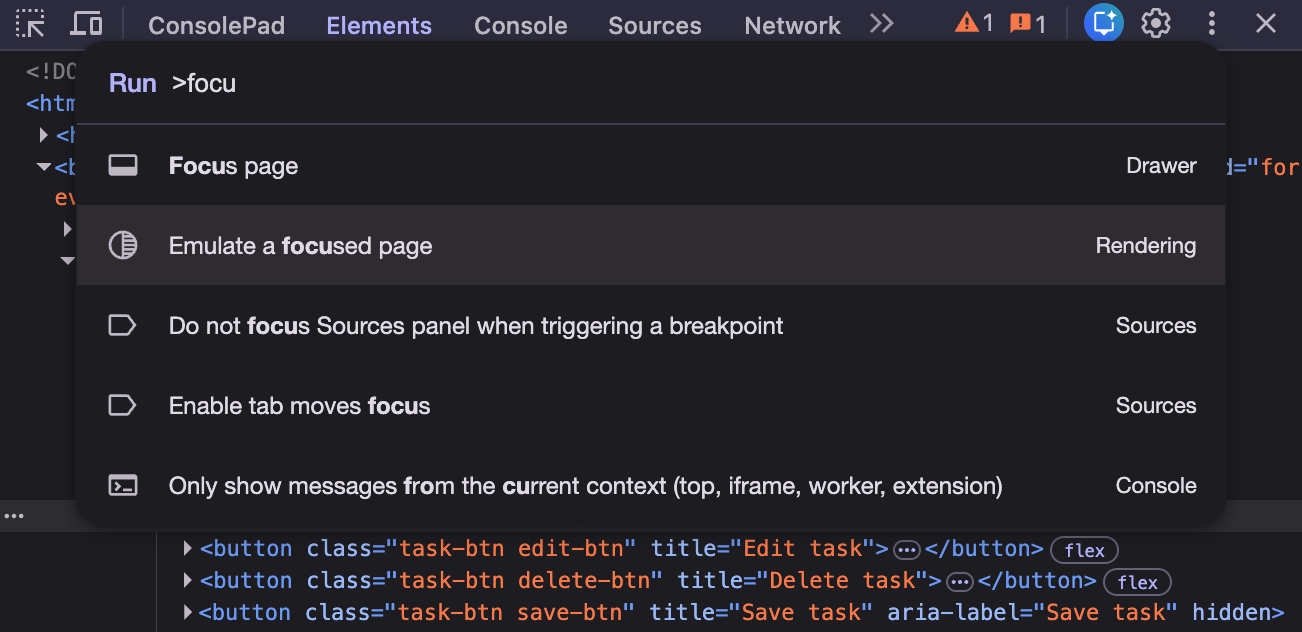
Open Dev Tools, press Ctrl / Cmd + Shift + P, and toggle this option. You should be able to inspect the disappearing elements now.
Was that useful? Consider leaving a
Tip
👋 Hi there! I'm Amit. I write articles about all things web development. You can become a sponsor on my blog to help me continue my writing journey and get your brand in front of thousands of eyes.